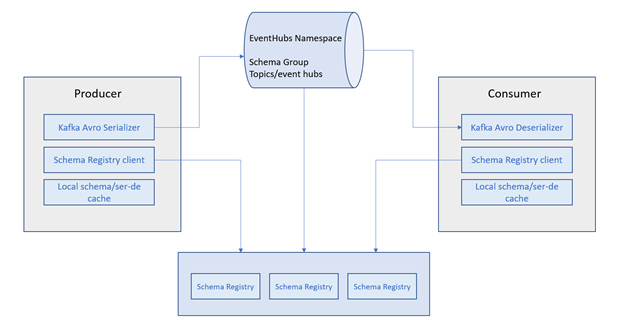
The Azure Schema Registry provides a repository for developers that wish to store, define and enforce schemas in their distributed applications and services. This post will explore how to use the new Schema Registry with Azure Event Hubs and the supported Kafka API.
A schema is often used as a data format, or contract, between services to help improve consistency, governance and data quality.
Producers leverage a schema when serializing data, before sending it to a service, such as Apache Kafka or Pulsar. Consumers are then able to reliably process the data, by using the same schema, when deserializing the payload.
Since both the producer and consumer adhere to using a shared schema, they are afforded the benefits of a clearly defined data structure which is documented, typed and can even be versioned. This contract between systems adds resiliency and a slew of other much needed features that are amongst many of the common challenges in distributed architectures.
Why use a schema registry
It’s easy to see how disparate systems can benefit from the use of schemas. However, a schema by itself isn’t enough. The need for a centralized repository for schemas and their metadata is the piece of the puzzle that completes this story.
A registry provides several benefits and addresses some key considerations:
Smaller data payloads. By referencing a schema in a registry, we can avoid including the actual schema in the payload.
Security and access control. In addition to providing a managed service that can catalog and organize schemas, a registry can support the much needed security constructs to ensure that schema operations are limited to only those services that have been granted permission.
Schema evolution. Schemas and contracts evolve over time – that’s expected. With the support of a registry, the services that rely on their data can lean on the schema registry to handle the transition from one schema to another. Support for compatibility modes and versioning are some of the core tenets in a schema registry that help manage this evolution.
Using the Azure Schema Registry
The schema registry is a new feature in Event Hubs that is only available in the standard or higher tiers. For this post, I’ll be using Event Hubs and some Kafka libraries for the producers and consumers. But, that isn’t a requirement if you want to use the registry with another messaging service, such as Service Bus.
Start with a schema group
A schema group is a mechanism that allows you to associate and manage a collection of schemas. Their relationship might be based off of a customer or perhaps a common set of services within your organization – whatever makes sense to you.
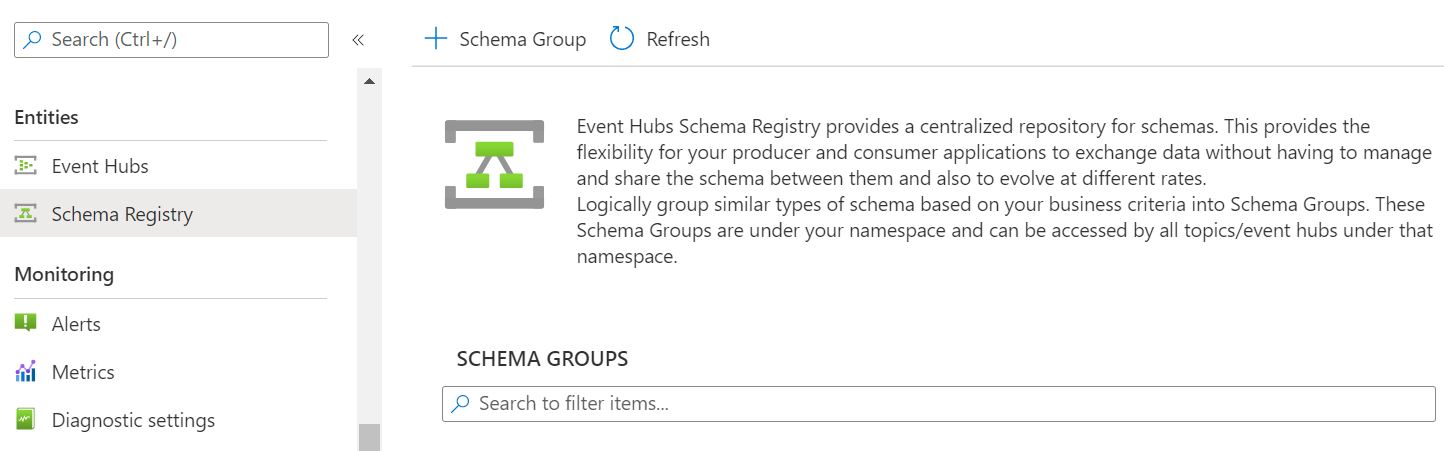
In the Azure portal, you’ll find the Schema Registry in your Event Hubs namespace, under Entities.
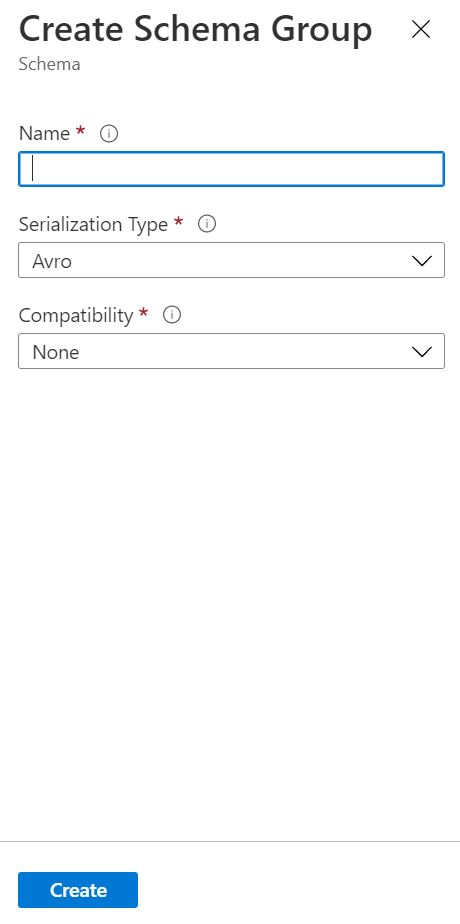
Create a group by providing a name, serialization type and compatibility mode. At this time, Avro is the only supported serialization type.
Configure access control
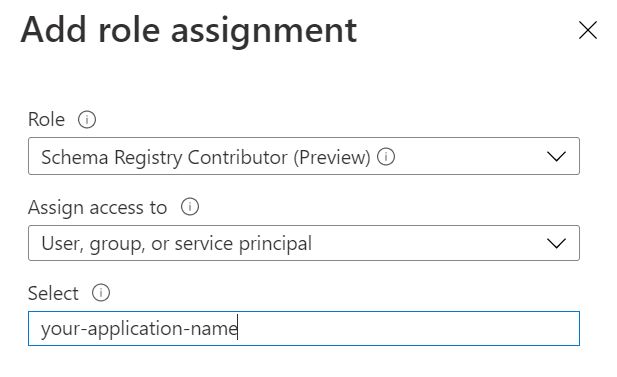
The next step is to grant access to a producer and consumer application that can communicate with the registry in a secure manner. In Azure, the best way to do this is with role-based access control (RBAC). The following steps will help you accomplish this:
With the application permissions in place and a registry ready to go, we can now move forward with some code.
Define a schema
Let’s get to work and define a schema. Imagine that we have events for a customer loyalty program. Updates are published whenever points are added to a customer’s account. Here is the schema for the loyalty event in the Avro format:
The Avro format is what will be used to store the schema in the registry. Since this example will be using .NET, generating a strongly typed class in C# will provide an opportunity for some optimization when publishing and consuming events.
I’m going to use a NuGet package called Apache.Avro.Tool to generate the C# class from the Avro file that contains the schema. To install the tool from a command line, run:
This file contains hidden or bidirectional Unicode text that may be interpreted or compiled differently than what appears below. To review, open the file in an editor that reveals hidden Unicode characters.
Learn more about bidirectional Unicode characters
Now that we have a generated class to work with, let’s see how serialization works.
Serializing and deserializing
The Confluent .NET Kafka library provides interfaces for both serialization and deserialization that make integration with the Azure Schema Registry extremely simple.
If you look at the implementation for the async serializer, you’ll notice that a token credential is used to authenticate against the registry. Notice also how the SerializeAsync method uses the schema to serialize the context and return a byte array:
This file contains hidden or bidirectional Unicode text that may be interpreted or compiled differently than what appears below. To review, open the file in an editor that reveals hidden Unicode characters.
Learn more about bidirectional Unicode characters
The original implementation of this library can be found here. Deserialization takes a similar approach for authentication (as expected) and converts a byte array into a strongly typed class in the Deserialize method:
This file contains hidden or bidirectional Unicode text that may be interpreted or compiled differently than what appears below. To review, open the file in an editor that reveals hidden Unicode characters.
Learn more about bidirectional Unicode characters
Both the producer and consumer samples in the repository contain an app.config file that resembles the following:
This file contains hidden or bidirectional Unicode text that may be interpreted or compiled differently than what appears below. To review, open the file in an editor that reveals hidden Unicode characters.
Learn more about bidirectional Unicode characters
If you are following along, you will need to update these values to resemble the Event Hubs namespace, connection string for the Event Hub (topic), and other pieces of relevant information. Plug in the tenant ID, client ID and client secret you created earlier for the producer and consumer applications accordingly. The code for the producer is here:
This file contains hidden or bidirectional Unicode text that may be interpreted or compiled differently than what appears below. To review, open the file in an editor that reveals hidden Unicode characters.
Learn more about bidirectional Unicode characters
Take a moment and check out how the ProducerBuilder is initialized in the sample:
var producer = new ProducerBuilder<Null, CustomerLoyalty>(config)
    .SetValueSerializer(valueSerializer)
    .Build())
What is really interesting here is how the serializer is registered to use the schema registry – pretty slick!
Consuming events
The consumer application follows a similar pattern by configuring the connection to the broker, followed by the deserializer for the value. It then consumes events and outputs the results:
This file contains hidden or bidirectional Unicode text that may be interpreted or compiled differently than what appears below. To review, open the file in an editor that reveals hidden Unicode characters.
Learn more about bidirectional Unicode characters
The Azure Schema Registry looks promising. Being able to use existing libraries for both the consumer and producer applications to communicate with a Kafka endpoint and leverage the registry for serialization was perhaps the most important takeaway for me when learning how to use it. This feature has been in demand for quite some time and I think we’ll see more schema-first development when it comes to using some of the Azure messaging services.
 Made of Strings